








The Microsoft Power BI Data Visualization Course is designed to help learners master the art of turning raw data into meaningful insights. This training covers essential concepts of Power BI, including data modeling, DAX functions, dashboards, reports, and interactive visualizations. With real-time case studies and hands-on practice, participants will learn how to connect data sources, clean and transform data, and create impactful business reports. Ideal for business analysts, data professionals, and beginners, this course equips you with the skills to analyze data effectively and present it in a visually appealing way, boosting decision-making and career opportunities.
.png "Microsoft Power BI Data Visualization Course")
Microsoft Power BI Data Visualization Course
Microsoft Power BI Data Visualization Course: A Complete Guide for Beginners & Professionals
In today’s business world, data is the new oil. Every organization, big or small, relies on data-driven decision-making to stay competitive. But data in its raw form can be overwhelming and difficult to understand. This is where data visualization tools like Microsoft Power BI come into play.
The Microsoft Power BI Data Visualization Cours is specifically designed for students, professionals, and business leaders who want to transform raw data into meaningful insights. In this blog, we will cover what Power BI is, why data visualization is important, what you will learn in the course, and how it can boost your career.
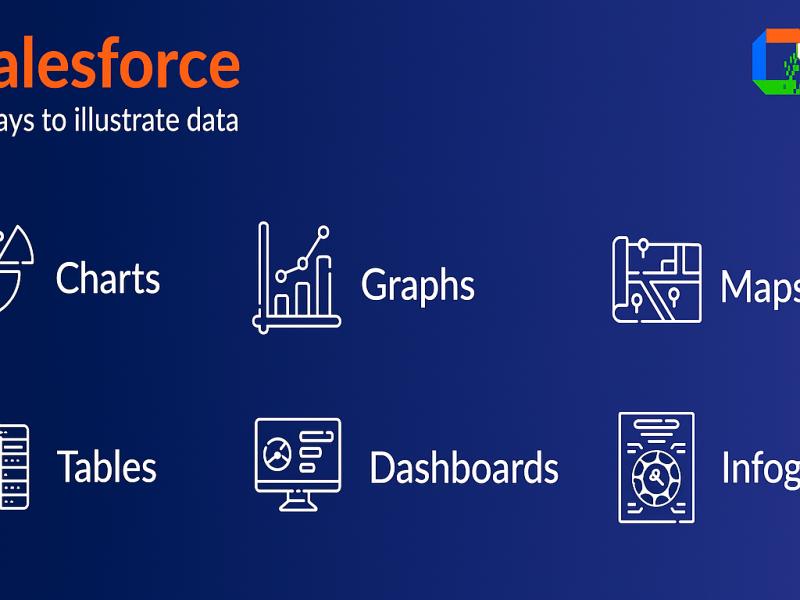
What is Microsoft Power BI?
Microsoft Power BI is a powerful business intelligence and data visualization tool that helps organizations connect to different data sources, analyze data, and present it in an easy-to-understand format. It allows users to create interactive dashboards, detailed reports, and visually appealing charts that make complex information simple and actionable.
Some key features of Power BI include: Data connectivity to multiple sources such as Excel, SQL Server, Azure, and third-party applications. Data transformation and cleaning with Power Query. Data modeling using relationships and calculated fields. DAX (Data Analysis Expressions) for advanced calculations. Real-time dashboards for live business tracking. Mobile compatibility for reports on the go.
Why is Data Visualization Important?
Before diving into the course details, it’s important to understand why data visualization is a game-changer in today’s world. Simplifies complex data: Visualization makes it easier to understand large datasets. Improves decision-making: Interactive charts and dashboards highlight trends and patterns instantly. Enhances communication: Clear visuals make it easy to share insights with stakeholders. Boosts productivity: Instead of spending hours on reports, automated dashboards save time. Career growth: Skilled Power BI professionals are in high demand across industries.
What Will You Learn in the Microsoft Power BI Data Visualization Course?
This course covers all the essential concepts to make you a Power BI expert. Here’s a breakdown of the modules:
Sales performance dashboard Financial analysis reports Customer insights and behavior tracking
Who Should Join This Course?
The Microsoft Power BI Data Visualization Course is suitable for a wide range of learners:
Students & Beginners – who want to start a career in data analytics. Business Analysts – looking to improve reporting and analysis. Finance Professionals – to create financial dashboards and reports. Marketing Experts – to analyze customer and campaign data. IT Professionals & Developers – to integrate Power BI with enterprise systems.
Benefits of Learning Power BI Data Visualization High Demand in the Job MarketPower BI is one of the top skills required by employers. Roles like Data Analyst, BI Developer, and Business Intelligence Consultant list Power BI as a key requirement.
Easy to Learn and UseEven non-technical users can quickly learn how to build dashboards and reports with Power BI.
Strong Career Growth
Certified Power BI professionals often enjoy higher salaries and faster promotions.
Supports Business Growth
By turning data into insights, organizations can make informed decisions and gain a competitive edge.
Integration with Microsoft Ecosystem
As a Microsoft product, Power BI easily integrates with Excel, Azure, Teams, and other enterprise applications.
Career Opportunities After the Course
Completing the Power BI Data Visualization Course opens doors to multiple career paths such as:
Power BI Developer Data Analyst Business Intelligence Analyst Reporting Analyst Data Visualization Specialist Business Consultant